Innovation Guides
Building a Compliant Content
Foundation with PromoMats
Check out highlights from more than 40 new Veeva PromoMats innovations released in 2024 — all designed to help you build and maintain a compliant content foundation in 2025 and beyond.
Overview
Content is vital in life sciences marketing. Done well, it builds trust in your brand, informs customers about cutting-edge science and technology, and showcases your organization to the right audiences. As a result, content volumes keep rising, meaning content teams have more to create, approve, maintain, and catalog — all while delivering metrics on asset usage and audience reception.
Veeva PromoMats is the compliant, centralized, and connected solution to manage this rapid rise in content volume. Innovations in Veeva PromoMats strive to set the industry standard for biopharma content strategy and support commercial content creation, MLR, claims, and management.
Read on for highlights from more than 40 new Veeva PromoMats innovations released in 2024 — all designed to help you build and maintain a compliant content foundation in 2025 and beyond.
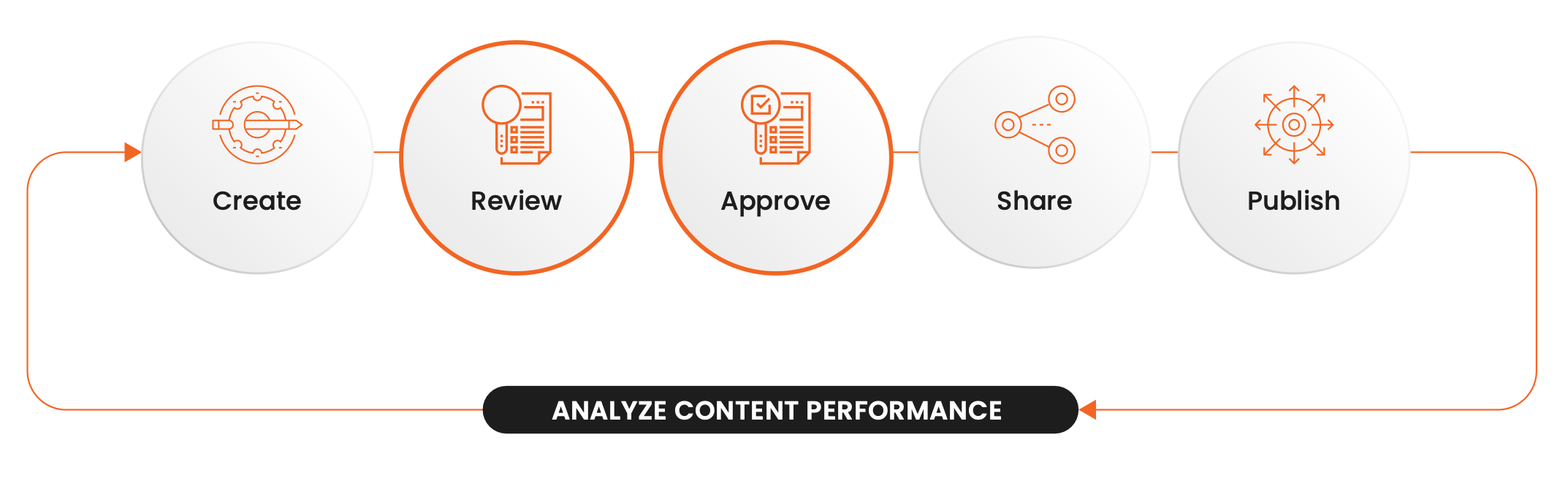
Review and Approve
Medical, legal, and regulatory review
Fast, compliant review is core to life sciences commercial content, and innovations in Veeva PromoMats continue to enhance the reviewer experience.
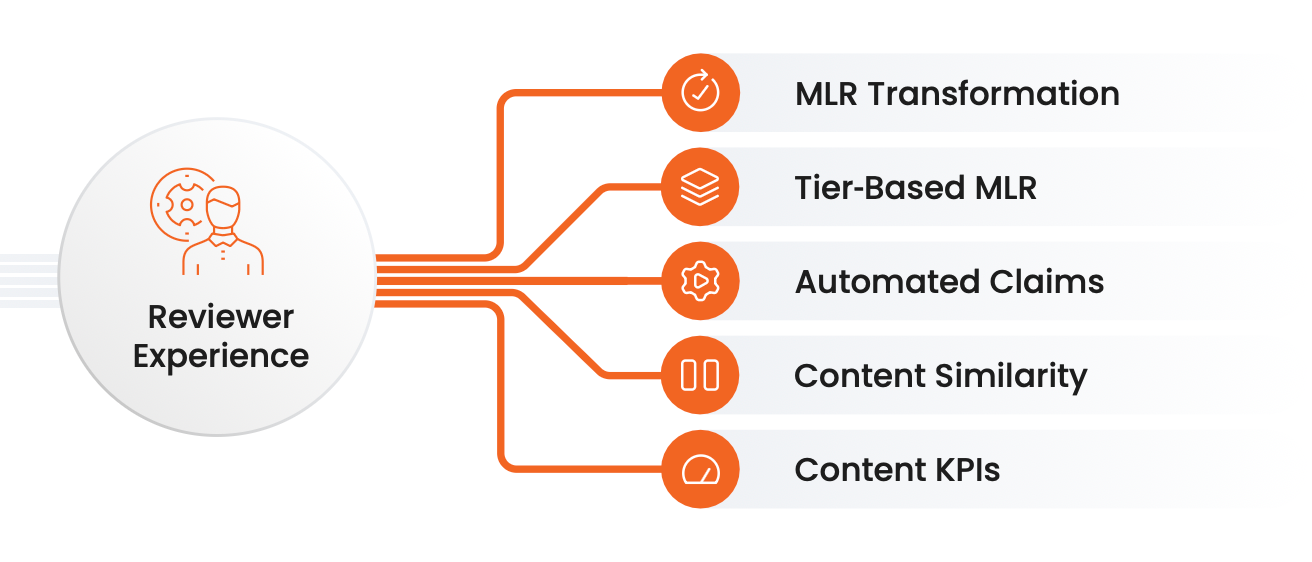
Updates to MLR in 2024 provide efficiency and automation, speed, and enhanced metrics tracking to keep your content timelines on track.
Minimize manual tasks by automating steps in your Workflows
You can use Formulas anywhere in Workflow where you can define “conditions.”
- Use a Formula for the “Create” event action to determine which Workflow to start.
- Use a Formula in decision steps to determine next steps in the Workflow.
- Use Formulas for Entry Criteria conditions, what should be validated, and customer validation messages.
Watch this demo to learn how to use Formulas to automate your Workflows.
Simplify review by easily seeing document relationships
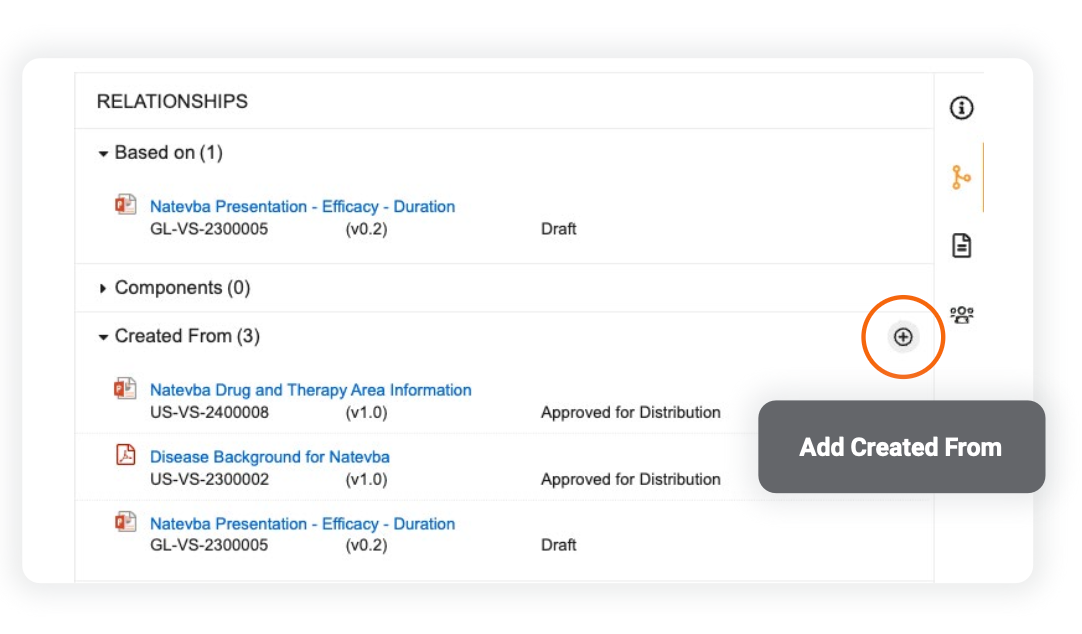
Reusing content is a significant cost-saver for biopharmas, and it’s easier on the reviewer when content stems from already approved content. The Created From Document Relationship feature captures and flags derivative content for reviewers when a user creates a copy of a document. This is similar to the existing Based On relationship type, but with added benefit: users can apply additional documents to the Created From relationship through authoring tools integrated with PromoMats or manually through the user interface after a user creates the document.
Track and measure content lifecycle with more specificity
Streamlining your MLR process and identifying internal bottlenecks increases speed to market and improves content personalization. Updates to Process Reporting and Cycle Time Calculations will allow you to more easily understand how long it takes to perform specific aspects of the review process, when a certain state change happens, and where there are potential bottlenecks. Content teams can use these metrics to improve the overall business process and the team’s performance.
To enable this, check out the new functions that are supported in report formula fields for object reports.
Create Compliant Content Backed by a Central Claims Library
Claims
A central claims library allows you to automatically and compliantly annotate claims and references on materials. Innovations in claims optimize MLR workflows and ultimately save time and resources.

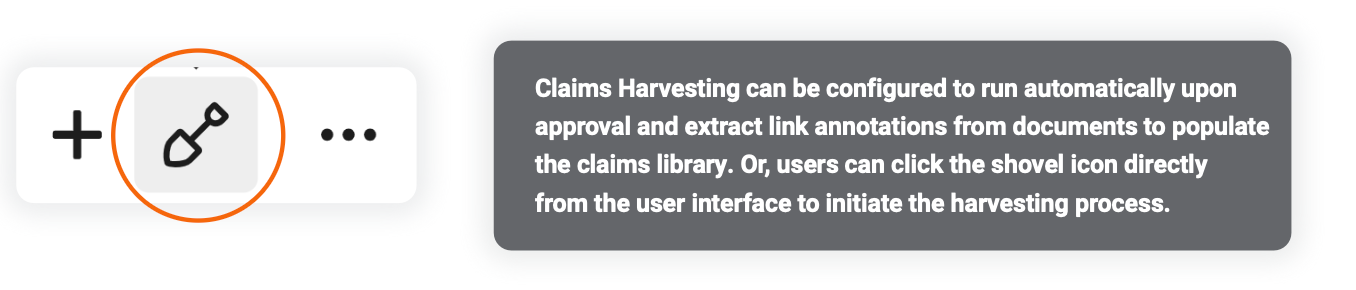
Users can automatically approve Claims upon creation if the document they are harvested from is approved. Claims Harvesting can be configured to run automatically upon approval and extract link annotations from documents to populate the claims library. Or, users can click the shovel icon directly from the user interface to initiate the harvesting process.
Harvest claims with a few clicks
Building a claims library is a historically manual and tedious process, from creating individual claims to claims approvals. Streamline the claims management process with automated Claims Harvesting, which turns Linked Reference Annotations into new claim records automatically.
Users no longer need to manually trigger the Auto-Linking action. With Auto-Link on Initial Upload, Vault will automatically link and suggest Text Assets when a user uploads the first version of a document to Vault or makes a copy.
Reduce manual work and ensure consistency
PromoMats now provides an automated process for updating claims when reference documents are updated. Previously, when the reference document of an anchor was up-versioned, claims supported by the reference needed to be manually updated or moved out of steady state. Now, with Auto-Update Reference Anchors for Text Assets, Vault updates claim records with the latest document version of unchanged text anchors that are brought forward on reference documents. You’ll still be able to review the prior version history of the reference materials on the claim record.
Experience better text detection from images
Image files are heavily utilized in promotional material uploads, but previous Optical Character Recognition (OCR) capabilities were primarily optimized for scanning PDFs. Now, improved OCR for images results in more recognized text, and will ensure a more consistent, accurate experience for users leveraging features like search, annotation, and Auto-Linking.
Store, Search, and Share
Digital Asset Management
Veeva PromoMats DAM provides a single solution to store, search, and share compliant content. Built for life sciences, it drives content reuse and cost savings.
Support content reuse with AI
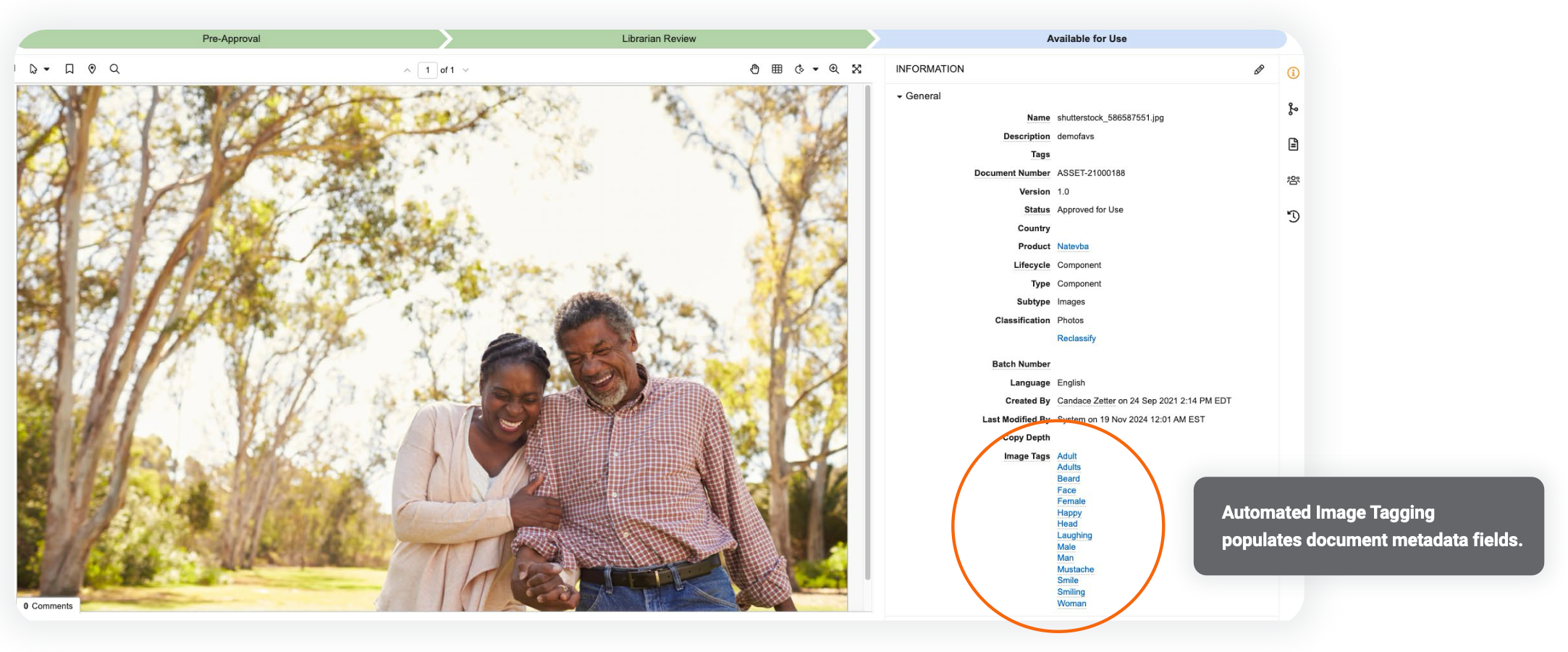
Improve asset searchability with automatic tagging of images in your content. Upon upload, Vault will run Automated Image Tagging and apply contextual tags to your images from your curated list of tags, providing users with valuable data to help with searching for assets.
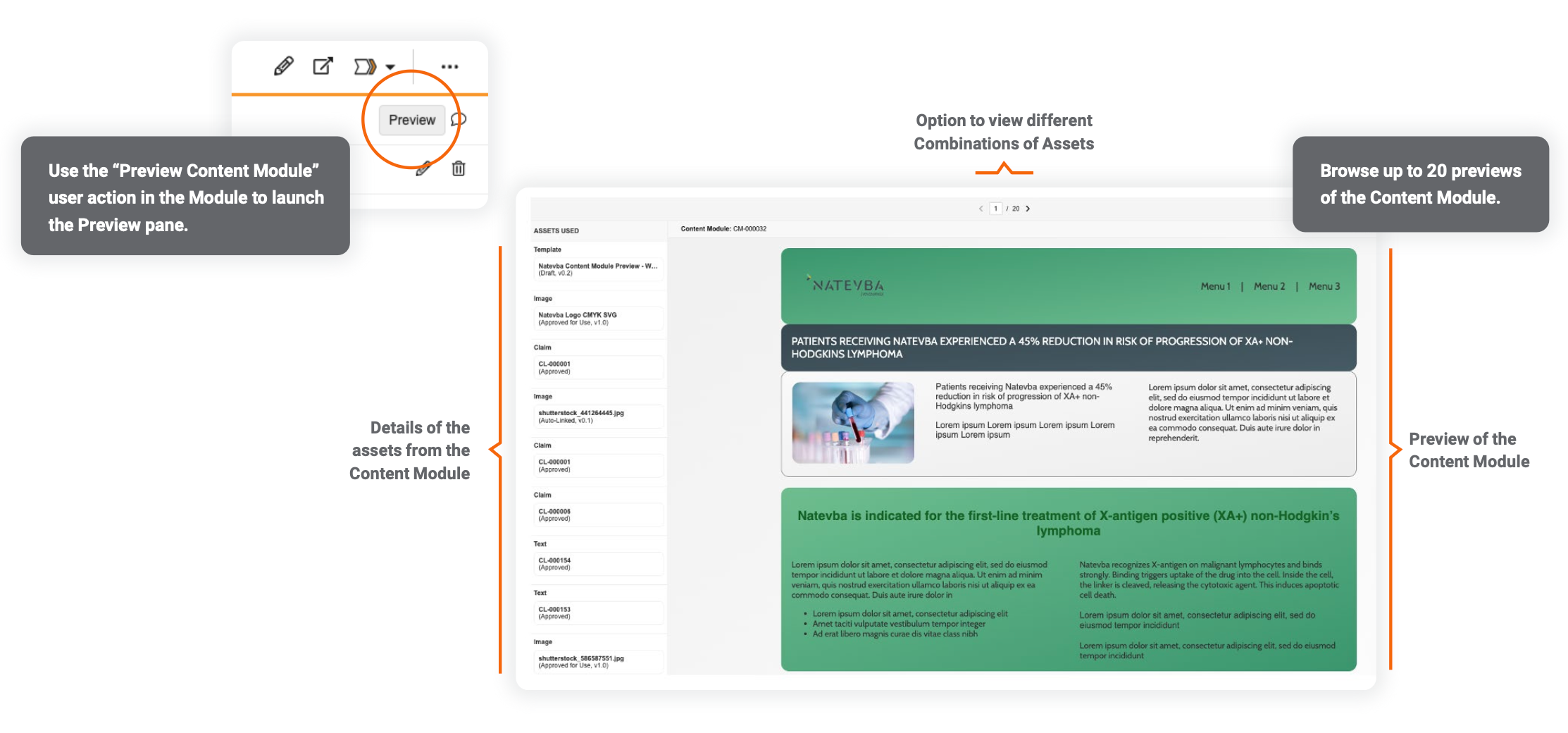
With Combinations for Content Modules, users can now easily group assets within a Module for specific channels, messaging, or personas. Try it with CRM Email Builder.
Organize and streamline brand content
Promote key content within Brand Portal, the “storefront” for your brand.
- Quickly find more information on documents on the Portals homepage, like file formats and document type or classification, without having to hover over a document card.
- The security requirements process for adding documents to the Portal has been simplified. Now, when users add content to a Widget, they do not require the “Edit Field” permission on the document to complete the action, and the action is completed by Vault on the user’s behalf.
- Portals Tab visibility is now based solely on user permissions, meaning users with permissions can still see the tab even when no Portals exist. Previously, if users had access to the Portals Tab but no Portals existed, the tab was hidden.
For additional ease-of-review, reviewers can now comment on Content Modules directly from the Modular Content tab. Organize and streamline brand content Promote key content within Brand Portal, the “storefront” for your brand.
Elevate Your Content Creation Strategy
Modular Content
Modular Content within Veeva PromoMats supports a more streamlined end-to-end content experience— from creation, to review and approval, to in-market execution.
Enable reps to create personalized emails with pre-approved Modules
Veeva PromoMats now supports the “CRM Email” module type and will host the pre-approved email assets that reps can use to construct personalized emails in the CRM Email Builder.
Preview Modules against layout templates
Modular Content Previews simplify the review process by demonstrating to reviewers how the Content Module would appear within a piece of content.
Connect and Standardize
Commercial Content Kernel
As life sciences companies continue to introduce new data and applications into their organizations, different names and formats are often used to describe the same information. This is especially true of commercial content: the industry maintains more than 300,000 types, yet the historic absence of a standardized taxonomy means there is no common language to classify content across regions.
Veeva’s Commercial Content Kernel simplifies and accelerates the process by providing a content hierarchy, classification, and description for organizing and delivering quality content across Vaults, the enterprise, and the industry.
Veeva champions industry-wide adoption of the taxonomy. Individual Vaults can implement this change via the Document Type and Document Subtype attributes. However, it’s important first to assess your current taxonomy in PromoMats. Reach out to your Veeva Account Partner to get started.
Vault Connections
Forge new connections from clinical to commercial
Seamlessly connect marketing and medical content ecosystems with the PromoMats-Medical Connection.

Create and manage your reference libraries centrally in Veeva Medical. The Connection transfers reference materials automatically into PromoMats to reduce manual work and eliminate out-of-sync references.

Synchronize your labeling documents by allowing Veeva PromoMats to send this content to Veeva Medical.
The RIM-PromoMats Product Data Transfer marks a key step on the journey to data standardization across Vaults. The RIM PromoMats Connection currently supports the transfer of eCTD submission materials and approved labels between Vaults. The Data Transfer will further those capabilities by facilitating the creation of materials at the global level, given the easier flow of data from Vault to Vault. As commercialization progresses, Vault will transfer product hierarchy and registration data from Veeva RIM to Veeva PromoMats, and brand data from PromoMats to Medical. With several new objects in Veeva PromoMats — and updates to existing product objects — you can now map data from Veeva RIM through Veeva PromoMats, and eventually through Vault CRM.